
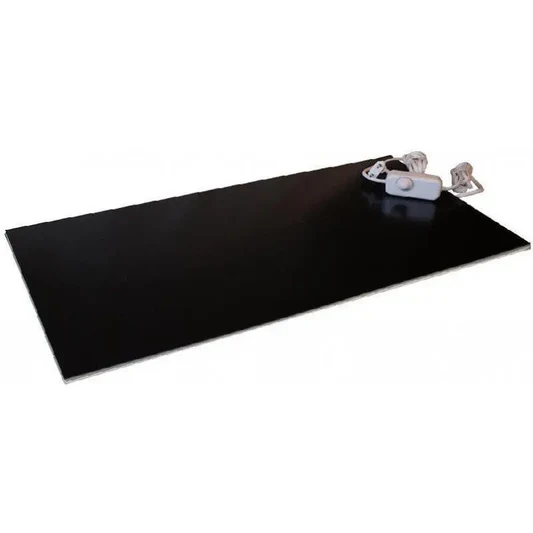
An infrared panel under the desk can target warmth at your workstation more precisely, provided it is designed for that mounting and sufficient clearance remains. Cold legs while working may be a reason to assess this addition. It does not replace a good workstation, suitable room heating or investigation of troublesome draughts.
Key points
Look beyond wattage: check room for knees and chair, desktop suitability, fixings and cable route. At a sit-stand desk, these must work in every position. Choose permitted controls and test use with the actual user before equipping several workstations.
What does a panel under the desk do?
The heated surface radiates warmth towards the parts it can reach. Convection also contributes to heat output. How legs and feet experience warmth depends on panel position, distance, clothing and shielding by the desk. A desk panel does not automatically heat the entire room.
Choose a model explicitly intended for close-range use at this mounting location. The word infrared or a wavelength category alone gives insufficient information about permitted distance and exposure. Use the model instructions as your starting point. The appliance is intended for thermal comfort; medical effects or guaranteed productivity gains do not follow from that.
Output, consumption and controls
Match capacity to the desired local effect and available distance. More power is not automatically more pleasant or economical. There is no general wattage or distance that gives every desk the same warmth. Also assess whether draughts or a cold floor have a building-related or installation-related cause requiring separate attention.
Energy consumption follows from actual input power and operating time. A continuous input of 0.2 kW for eight hours mathematically equals 1.6 kWh; controls may change actual operating time. Use your own electricity tariff and include other heating. A lower central thermostat setting offers a benefit only if total consumption decreases at suitable comfort.
Use only a controller approved for the model. An ordinary light dimmer is not a general solution for a heating panel. Check load, functions and sensor position. Occupancy detection must account for a seated user; do not set a switch-off time without testing it in practice. Ensure the user can easily switch off.
Alternatives for warmth at the desk
A heated desk mat mainly provides contact warmth for hands and forearms. A foot warmer or heated mat targets feet. A panel uses a different arrangement and heat distribution. Compare the area of discomfort, space requirements, cleaning, controls and permitted use rather than calling one solution always the best.
Fixed mounting can keep the area free of a separate stand, but must fit the desk properly. A mobile version requires stable support and a safe cable route. A fanless panel makes no fan noise; relays or other components may still be audible. Check actual noise information if quiet operation matters.
Mounting beneath the desktop
Check material, thickness, load-bearing capacity and clearance between top and frame. Follow the specified fixing method, including any rear clearance and spacers. Choose fixings suited to both panel and desktop. There is no universal screw length or spacer suitable for all wooden, hollow, metal and plastic tops.
Check the movements of chair, knees, drawers and any footrest. Prevent touching, impacts, covering and hanging bags or clothing from the panel. Children or pets may reach the appliance even under a desk. Overheating protection does not remove these considerations and is not identical on every model.
Additional check for a sit-stand desk
After mounting, test the full height range with chair and equipment in their usual positions. The cable must not be pulled taut, pinched, routed over sharp edges or obstruct desk operation. Provide enough movement without loose loops in walkways. Check again when the workstation moves or equipment is added.
Keep computers, power supplies, docks and cable trays outside the specified heat and clearance zones. Heat can also affect the surroundings of electronics; a general guarantee that equipment or the desktop stays cool is therefore inappropriate. If uncertain, have the combination of materials and equipment assessed.
From home workstation to office project
For several desks, start with a trial arrangement for different users and working postures. Record who manages settings, when equipment is switched off and how faults are reported. Check total electrical load and connection alongside other office equipment. Consider existing building controls before lowering an overall temperature.
We supply private and business end users, installers and wholesalers. Share desk dimensions, photographs of underside and frame, details of any adjustment mechanism and desired controls. We assess suitable versions. A panel under the desk does not automatically qualify for an improved energy rating, building certification or a tax scheme.
Check the workstation after commissioning
Ask the user how the warmth feels during normal work, not just a brief demonstration. Check fixings, clearance and cables after desk changes. Clean and inspect according to the manual, and do not return a damaged or faulty appliance to use without assessment.
Frequently asked questions about desk heating
Can I mount any panel under a desk?
No. Use only a version the manufacturer permits for this position. Check heat exposure of the desktop, fixings and clearances. An approval mark or product test does not replace mounting instructions or establish suitability for every table.
Can the heater remain on when I walk away?
Follow the model’s permitted use and switch off when warmth is unnecessary. A timer or occupancy detector may help, but must be compatible and properly configured. Automation does not replace the specified safety measures.